
This article will show you how to uninstall the BUCS Remote Agent from your server.
You may need to uninstall the agent when migrating to a new server, troubleshooting issues, or decommissioning an existing data connection.
⚠️ IMPORTANT:
-
Uninstalling the BUCS Remote Agent will stop all data refreshes from that server
-
Ensure the agent is no longer needed or has been installed on a replacement server before proceeding
ℹ️ TIP: If you are moving the agent to a new server, install and verify the new agent before uninstalling the existing one to avoid data interruptions.
Uninstall the BUCS Remote Agent
-
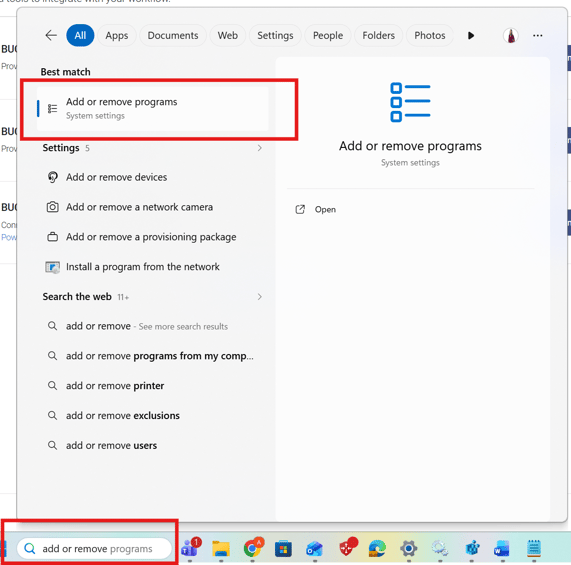
Open the Windows Start Menu.
-
Search for and select Add or remove programs.
-
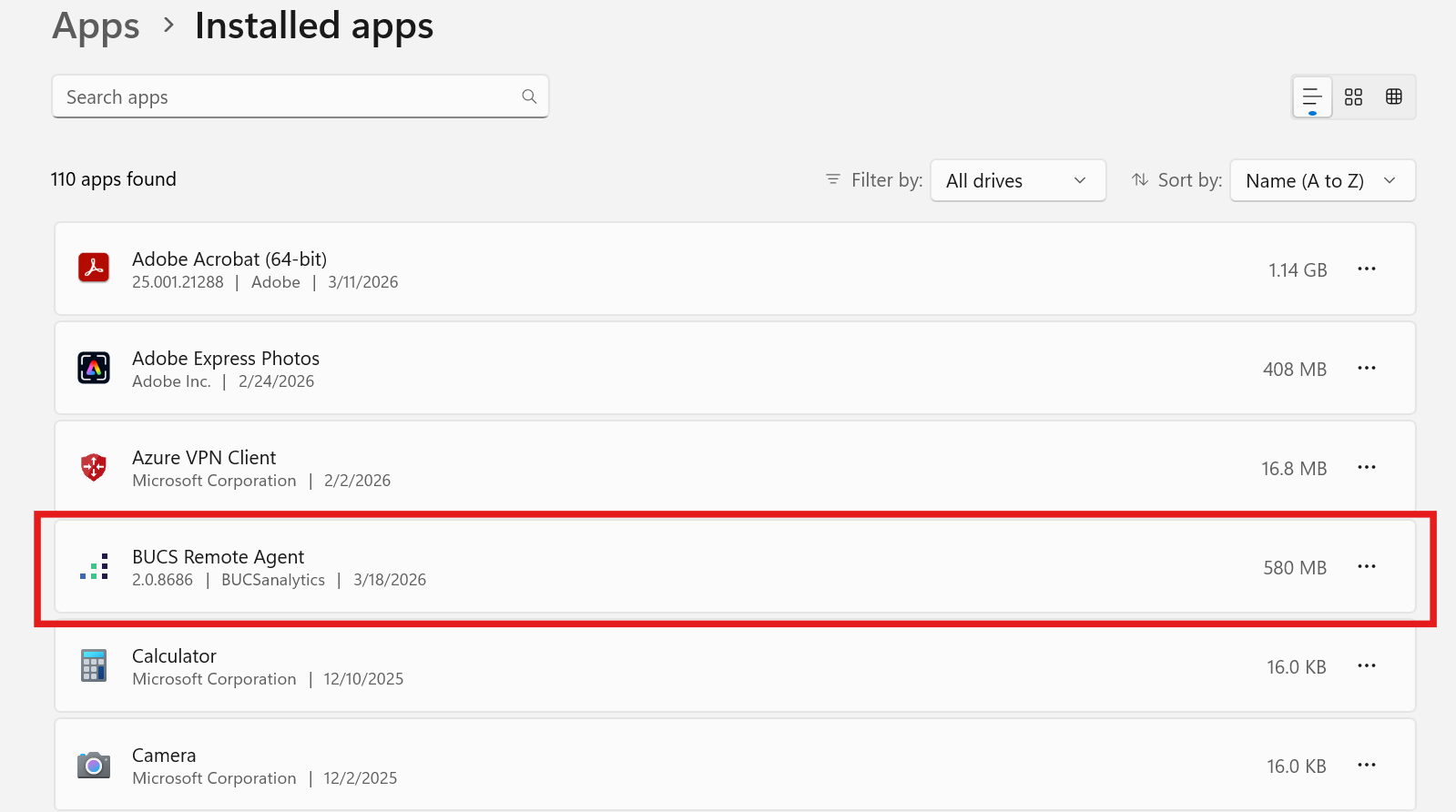
In the list of installed applications, locate BUCS Remote Agent.
-
Click on the ... of the BUCS Remote Agent.

-
Click Uninstall.

-
Follow the prompts to complete the uninstall process.
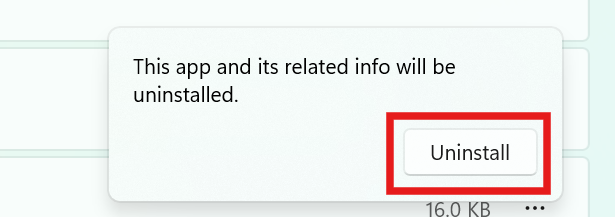
Windows may prompt you to confirm the action. Click Yes to proceed.
Confirm Uninstallation
After the uninstall is complete:
-
Verify that BUCS Remote Agent no longer appears in the installed programs list